

Setup

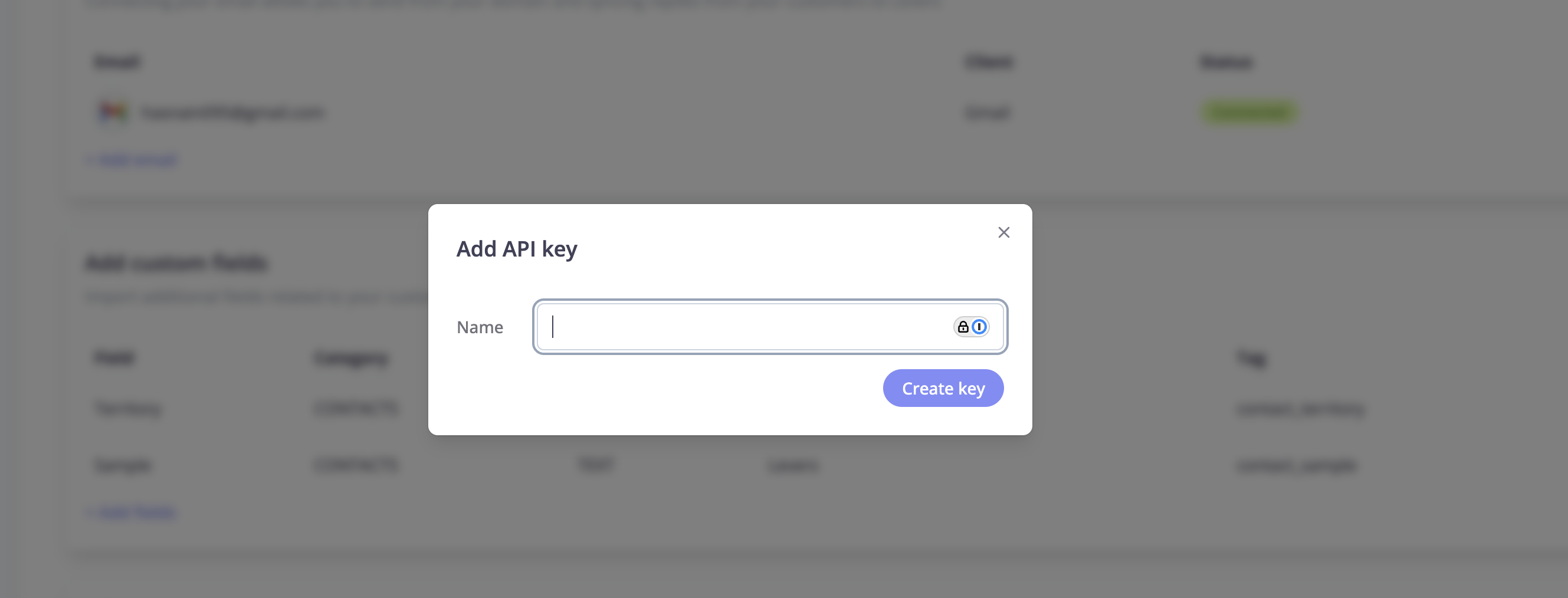
Navigate to the settings page in Levers app, and scroll to the API keys section. Click on Add API key. Enter the name of the key and click Create. Copy the client id and client secret and save it in a secure manner.

Integration

API Authentication

Learn how to authenticate your API requests using your client credentials.

Quickstart Code

Get started with sample code for making your first API call.

API Authentication

To authenticate with the Levers API, you need to obtain a bearer token using your client credentials.

Step 1: Get Your Access Token

curl -X POST https://api.dev.uselevers.com/auth/v1/api-key/auth \
  -H "Content-Type: application/json" \
  -d '{
    "clientId": "YOUR_CLIENT_ID",
    "clientSecret": "YOUR_CLIENT_SECRET"
  }'
Important Token Behavior:
  • Dev environment: Tokens are valid for 24 hours
  • Production: Tokens are valid for 5 minutes
Issuing a new token will invalidate all existing tokens for the same client. Ensure your application handles re-authentication gracefully.

Step 2: Use the Access Token

Include the access token in the Authorization header for all subsequent API requests:
Authorization: Bearer YOUR_ACCESS_TOKEN

Quickstart Code

Install the following packages:
pip install python-dotenv requests
Create a .env file in the root directory of your project and add the following variables:
CLIENT_ID=<YOUR CLIENT ID>
CLIENT_SECRET=<YOUR CLIENT SECRET>
Create main.py in the root directory of your project and copy the following code into it:
import os
import requests
from dotenv import load_dotenv

# Load environment variables
load_dotenv()


def create_contact(access_token, contact_data):
    url = "https://api.dev.uselevers.com/api-service/v1/contact"

    headers = {
        "Authorization": f"Bearer {access_token}",
        "Content-Type": "application/json",
        "User-Agent": "Lawazem v 1.0"
    }

    response = requests.post(url, json=contact_data, headers=headers)

    if response.status_code == 200:
        return response.json()
    else:
        return f"Error: {response.status_code}, {response.text}"

def authenticate_levers(api_client):
    # API endpoint
    url = "https://api.dev.uselevers.com/auth/v1/api-key/auth"

    # Get credentials from environment variables
    client_id = os.getenv("CLIENT_ID")
    client_secret = os.getenv("CLIENT_SECRET")

    # Prepare headers and payload
    headers = {
        "Content-Type": "application/json",
        "User-Agent": "Lawazem v 1.0"
    }

    payload = {
        "clientId": client_id,
        "clientSecret": client_secret
    }

    # Make the POST request
    response = api_client.post(url, json=payload, headers=headers)

    # Check if request was successful
    if response.status_code == 200:
        return response.json()
    else:
        return f"Error: {response.status_code}, {response.text}"

if __name__ == "__main__":
    api_client = requests.session()
    result = authenticate_levers(api_client)
    contact_data = {
        "name": "Test Contact",
        "firstName": "Test",
        "lastName": "Contact",
        "phoneNumber": "+96612341234",
        "email": "test@example.com",
        "remindersEnabled": True,
        "role": "PRIMARY"
        }
    result = create_contact(result['access_token'], contact_data)
    print(result)
Run the following command to execute the code:
python main.py
You’ll see the following output:
{'name': 'Test Contact', 'nameAr': None, 'firstName': 'Test', 'firstNameAr': None, 'lastName': 'Contact', 'lastNameAr': None, 'phoneNumber': '+96612341234', 'vatNumber': None, 'email': 'test@example.com', 'building': None, 'buildingAr': None, 'street': None, 'streetAr': None, 'district': None, 'districtAr': None, 'city': None, 'cityAr': None, 'country': None, 'countryAr': None, 'postalCode': None, 'additionalNumber': None, 'otherId': None, 'bankName': None, 'bankContactName': None, 'iban': None, 'accountNumber': None, 'emailTone': None, 'sendEmailNotif': None, 'sendEmailNotifLang': None, 'sendSmsNotif': None, 'sendSmsNotifLang': None, 'remindersEnabled': True, 'extPlatformId': None, 'extCompanyId': None, 'hasErrors': False, 'errorDetail': None, 'uuid': '9bfa828a-3c2d-430c-bdc7-f74d90334524', 'totalAmount': None, 'totalPaid': None, 'outstandingAmount': None, 'totalInvoices': None, 'countUnpaidInvoices': None, 'risk': None, 'role': 'PRIMARY', 'secondaryContacts': None, 'paymentInstructions': None, 'workflow': None, 'customFields': []}

Integrating AI Phone Calls

Learn how to integrate AI-powered phone calls for automated collections and customer communication.
1

Create Contact

First, create a contact that will receive the AI phone call.
curl -X POST https://api.dev.uselevers.com/api-service/v1/contact \
  -H "Authorization: Bearer YOUR_ACCESS_TOKEN" \
  -H "Content-Type: application/json" \
  -d '{
    "name": "John Doe",
    "firstName": "John",
    "lastName": "Doe",
    "phoneNumber": "+96612341234",
    "email": "john@example.com",
    "remindersEnabled": true,
    "role": "PRIMARY"
  }'
For more details, see the Create Contact API reference.
2

Fetch Contacts

Retrieve your contacts to get the contact UUID for the AI phone call.
curl -X GET "https://api.dev.uselevers.com/api-service/v1/contact?page=1&size=10" \
  -H "Authorization: Bearer YOUR_ACCESS_TOKEN"
For more details, see the Get Contacts API reference.
3

Trigger AI Phone Call

Use the contact UUID to initiate an AI-powered phone call.
curl -X POST https://api.dev.uselevers.com/api-service/v1/ai/phone-calls/action/call \
  -H "Authorization: Bearer YOUR_ACCESS_TOKEN" \
  -H "Content-Type: application/json" \
  -d '{
    "contactUuid": "9bfa828a-3c2d-430c-bdc7-f74d90334524"
  }'
For more details, see the Call Contact API reference.
